Modern Post
in Premiere
Color Mode + AI-Assisted Post-Production

Live Online Training
September 29–30, 2026
9 AM–5:30 PM ET On Zoom, worldwide
9 AM–5:30 PM ETOn Zoom, Worldwide

Premiere’s new Color Mode + AI workflows, taught live by Adobe experts.

From $99/day · $149 for both days
Adobe Premiere Color Mode interface

Designed for an International Audience

Every session is captioned live, and recordings are dubbed in the language you choose at registration.

Dubbed recordings🇺🇸English·🇪🇸Spanish·🇫🇷French·🇩🇪German·🇯🇵Japanese·🇵🇹Portuguese·🇮🇹Italian
Join Live from Anywhere
Two interactive training days
Real-Time Captions
Built into every live session
Dubbing in 7 Languages · recordings
Chosen at registration
180-Day Replay · your sessions
Your sessions, on your schedule
Global Access

Join live from anywhere.
Watch back in your language.

Live translated captions in every session, recordings dubbed in your language, and 180 days of replay.

LiveReal-time captions
Every Zoom session
Recordings7 dubbed languages
Chosen at registration
Replay180-day access
Watch on your schedule
Recording
Languages
🇺🇸English🇪🇸Español🇫🇷Français🇩🇪Deutsch🇯🇵日本語🇵🇹Português🇮🇹Italiano

Color correction:
reimagined for storytellers.

Style groups and interior scene grading — Premiere Color Mode

Adobe Premiere’s new Color Mode is a breakthrough, making color correction accessible and creative for editors who’ve always seen it as too technical.

See Color Mode in action: Watch the official Adobe film →

For decades, color correction belonged to specialists. Editors felt it was too technical, too intimidating. It was a world apart from the creative flow of storytelling. Color Mode changes everything.

Introduced in beta at Post|Production World, this new mode brings intuitive, powerful color grading directly into Premiere.

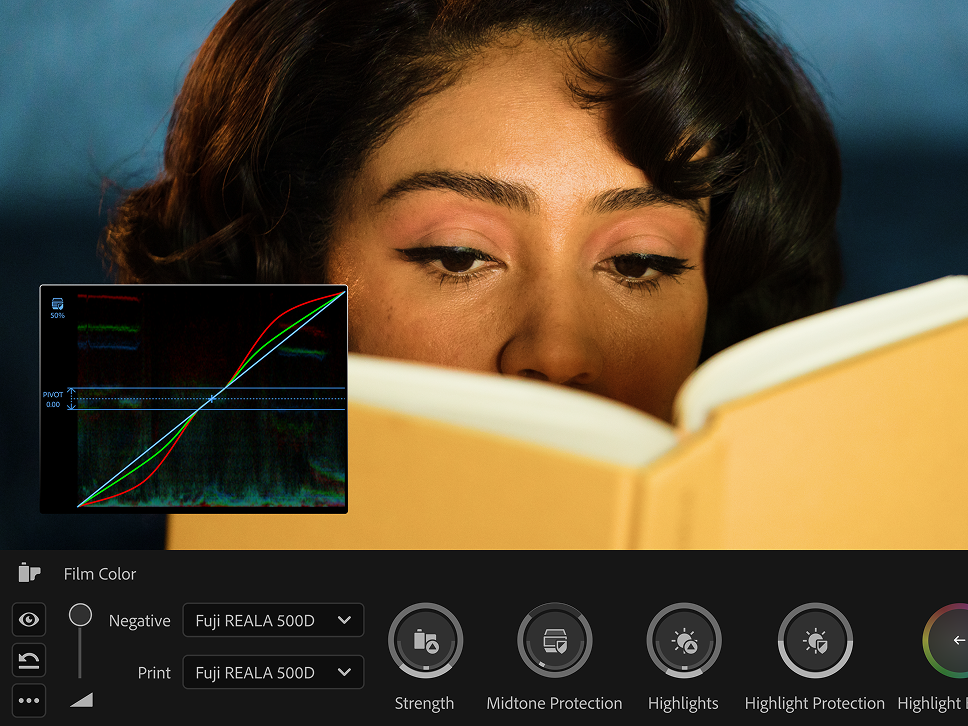
Film Color creative grading in Premiere Color Mode — negative and print film stock controls

“Color is the ultimate storytelling tool.
For the first time, editors don’t need to be colorists to use it that way.”

— Adobe Color Mode beta user
Live September 29–30, 2026Choose your local start time
Americas
9 AM EDT · 6 AM PDT
Europe
2 PM BST · 3 PM CEST
APAC
10 PM JST · 11 PM AEST
Day 1 · Sept 29Color Mode
9:00 – 10:30 AM ET
Welcome

Color Mode Foundations & Color Management

Speaker: Luisa Winters
Adobe Premiere Color Mode workspace overview showing the full color grading interface
10:30 – 10:45 AM ET
— Break —
10:45 AM – 12:15 PM ET
Lab 1

Primary Correction & Color Matching

Speaker: Eran Stern
Premiere Color Mode primary correction controls: Contrast, Exposure, Temperature, Balance, and Saturation with scope
12:15 – 1:00 PM ET
— Break —
1:00 – 2:30 PM ET
Lab 2

Secondaries & Creative Grading

Speaker: Luisa Winters
Premiere Color Mode creative grading controls with Film Color styling applied to a portrait shot
2:30 – 4:00 PM ET
Lab 3

Grade Management at Scale

Speaker: Eran Stern
Premiere Color Mode Sequence and Group interface for managing grades across a project
4:00 – 4:15 PM ET
— Break —
4:15 – 4:45 PM ET
Workflow

Transition & Compatibility: Color Mode & Lumetri

Speaker: Luisa Winters
Premiere Color Mode split-view comparison and scope showing grade compatibility across a transition
4:45 – 5:30 PM ET
Live Q&A

Open Q&A with Alexis Van Hurkman

Speaker: Alexis Van Hurkman · Principal Product Manager of Color at Adobe
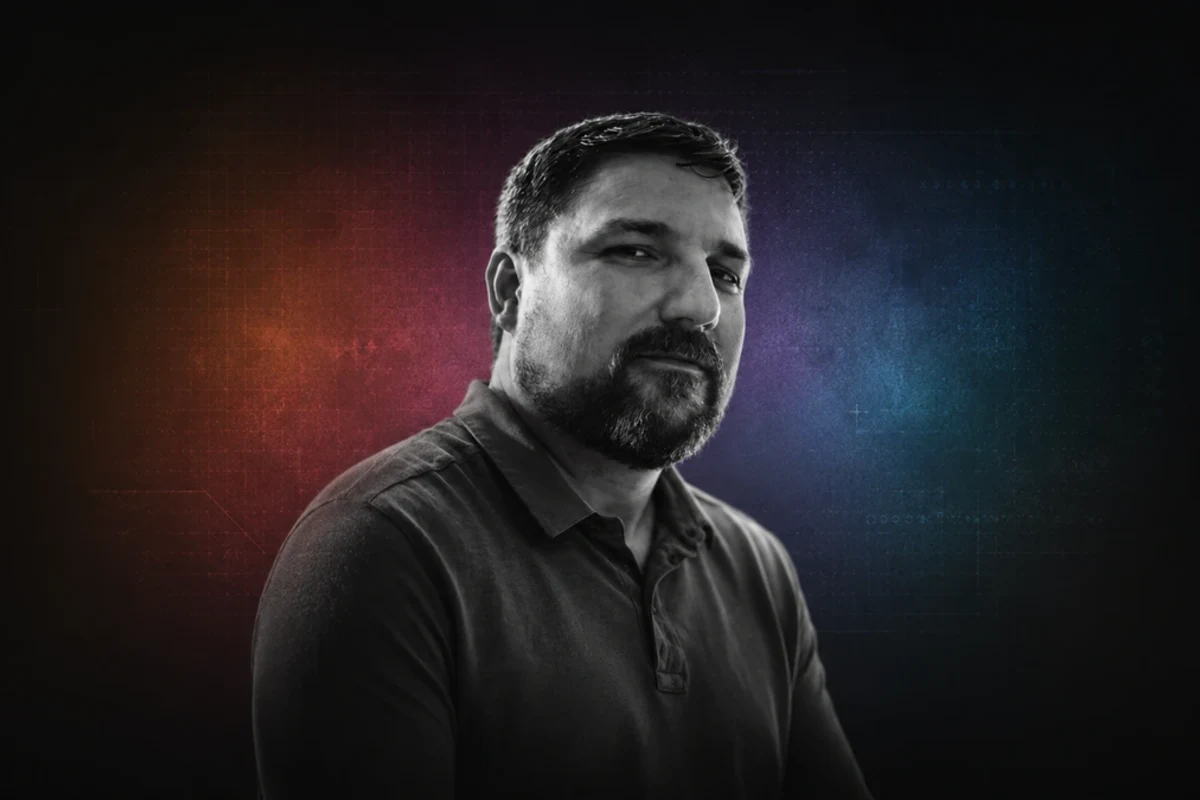
Alexis Van Hurkman, Principal Product Manager of Color at Adobe
Day 2 · Sept 30AI-Assisted Post-Production
9:00 – 10:30 AM ET
Session 1

Find the Story in the Footage

Speaker: Luisa Winters
Adobe Premiere Media Intelligence search panel with visual search results across footage
10:30 – 10:45 AM ET
— Break —
10:45 AM – 12:15 PM ET
Session 2

AI as Your Assistant Editor

Speaker: Luisa Winters
Adobe Premiere text-based editing interface showing a dialogue transcript and editing controls
12:15 – 1:00 PM ET
— Break —
1:00 – 2:30 PM ET
Session 3

When the Edit Is Missing Something

Speaker: Eran Stern
Adobe Premiere Generative Extend on the timeline, showing an AI-generated clip extension
2:30 – 4:00 PM ET
Session 4

From Rough Audio to Finished Sound

Speaker: Luisa Winters
Adobe Premiere Essential Sound panel with audio tracks and mixing controls
4:00 – 4:15 PM ET
— Break —
4:15 – 4:45 PM ET
Session 5

Visualize the Story with Firefly Boards

Speaker: Eran Stern
Adobe Firefly Boards storyboard with AI-generated reference imagery for planning a story
4:45 – 5:30 PM ET
Live Q&A

Adobe’s Approach to AI in Premiere

With Meagan Keane · Director of Product Marketing, Adobe Professional Film & Video
Meagan Keane, Director of Product Marketing, Adobe Professional Film and Video
Recordings included —
watch anytime for 180 days.
03 — Meet Your Speakers

Speakers

Learn from renowned instructors and Adobe experts.

Alexis Van Hurkman

Alexis Van Hurkman

Principal Product Manager of Color at Adobe

Colorist, writer/director, educator — and the person building the future of color at Adobe. Alexis contributed extensively to DaVinci Resolve (versions 9–17) before joining Adobe, and brings deep experience at the intersection of creative vision and color technology.

Meagan Keane

Meagan Keane

Director, Product Marketing · Adobe Professional Film & Video

Meagan began in feature documentary production, with credits including Defining Beauty (Audience Award for Best Documentary, Newport Film Festival, 2011), We Live in Public (Sundance Grand Jury Winner, 2009), and Join Us (LA International Film Festival documentary selection, 2007). She moved into film technology in 2010, joined Adobe’s Premiere team in 2012, and holds an MFA in film production from USC’s School of Cinematic Arts.

Eran Stern

Eran Stern

Co-Program Manager · Adobe Expert

International Adobe trainer and educator with decades of experience in motion graphics and post-production. Eran has trained thousands of editors globally and is one of Adobe's most recognized evangelists for Premiere and After Effects.

Luisa Winters

Luisa Winters

Co-Program Manager · Adobe Expert

Award-winning editor, Adobe expert, and beloved educator whose approachable style has made complex post-production workflows accessible to thousands. Luisa brings warmth, precision, and deep Premiere expertise to every session she leads.

Save your spot.
Attend live or watch on your own schedule.
Register

Created for editors worldwide.

Live on Zoom with
Real-Time Captions

Follow along live with translated captions in 35+ languages, right in Zoom. See the full list

180-Day
Recording Access

Replay your sessions on your own schedule for 180 days.

Professionally
Dubbed Recordings

Recordings dubbed in your choice of seven languages, picked at registration.

Recording
Languages
🇺🇸English🇪🇸Spanish🇫🇷French🇩🇪German🇯🇵Japanese🇵🇹Portuguese🇮🇹Italian

Two days of practical training for modern Premiere workflows.

Learn Live

Real instruction in real time, no pre-recorded modules.

Story-Focused Grading

Use color as a storytelling tool, not just a technical fix.

Immediate Results

Practical tips and techniques you can apply to your next project.

Direct Answers

Get your questions answered by the instructors themselves.

Practical Premiere Workflows

Built for editors and colorists already working in Premiere.

Adobe Expertise

Learn workflows straight from the Adobe team and Community Experts.

05 — By the Numbers

The industry's trusted training company.

25+
Years training Adobe users
50K+
Creators trained worldwide
91%
Average attendee satisfaction
07 — Pricing

Pricing & Registration

Attend live or watch on your own schedule.

Single Day
$99
  • Full access to every session on your chosen day
  • 180-day access to that day’s session recording
  • Learn from the Adobe team & Community Experts
  • Get your questions answered live
  • Real-time captions during live sessions
  • Recordings dubbed in your choice of 7 languages
Best Value
Both Days
$149
  • Full access to every session across both days
  • 180-day access to both days’ session recordings
  • Learn from the Adobe team & Community Experts
  • Get your questions answered live
  • Real-time captions during live sessions
  • Recordings dubbed in your choice of 7 languages
Group discounts available for teams of 5+. ·
Contact Elise O’Brien
09 — Contact

Get in touch

Megan Belka
Event Inquiries

Megan Belka

Event Manager
FMC Training
Contact
Elise O'Brien
Group Registration

Elise O’Brien

Senior Director of Events
FMC Training
Contact
From $99
2 Days · Live Online Training
Program Register